Tuesday, 24 October 2017

Integration Engine Configuration Steps on Exchange Infrastructure or PI or PO


Tcode :
The heart of PI is Integration Engine that is used for integrating different technologies using Standard Messaging techniques, e.g XML

Go to SXMB_ADM transaction. Choose Integration Engine Configuration.


There can only be one Integration Server within an SAP system. In other words, the configuration of an Integration Server is limited to exactly one client.


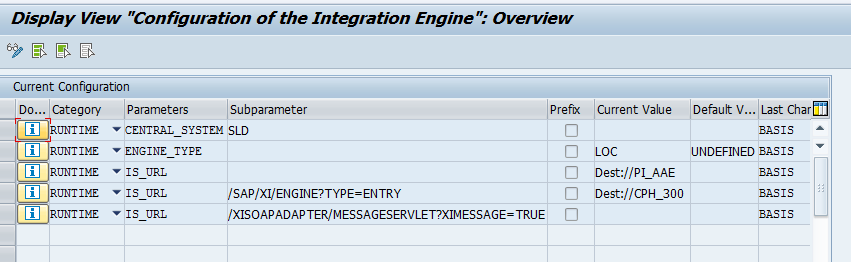


 It receives XML message, determines the receiver, executes the mappings, and routes the XML message to the corresponding receiver systems. Thus configured Integration Engine is identified to be Central Configured Integration engine.


Application system The Application system will not execute the integration logic. It in turn calls the integration server to execute the integration logic if required. It acts as sender or receiver of XML messages. So, the Application system with a local Integration Engine requires the Integration server to execute the integration logic.
v      Two ways of Global configuration for configuring your business system to call an Integration Server (Other than your business system):
o        http://<host>:<port>/sap/xi/engine?type=entry
<host> - Integration Server host name
<Port> - HTTP port.
Note: Provide the user and password with the HTTP service (/sap/xi/engine) in the target system. All the XML messages on the Integration Server are processed using the above user details.
?     dest://<Integration Server-Destination>
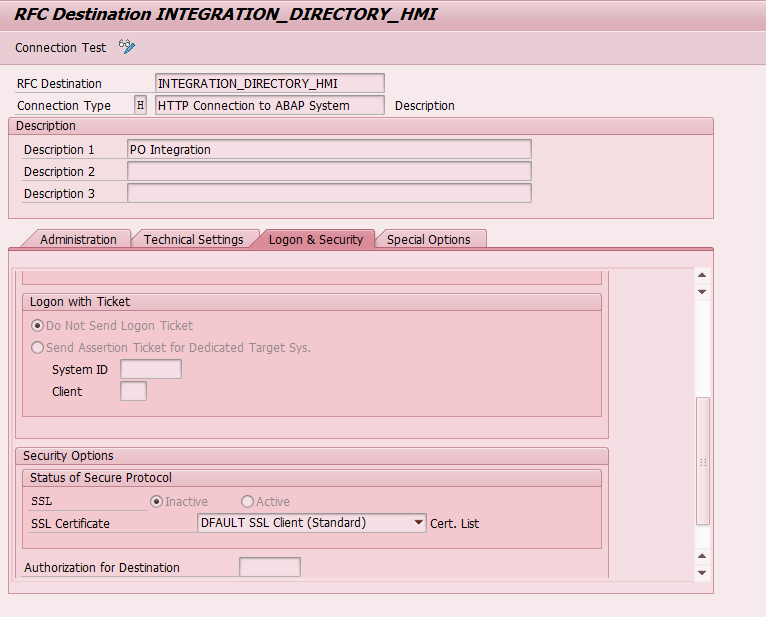
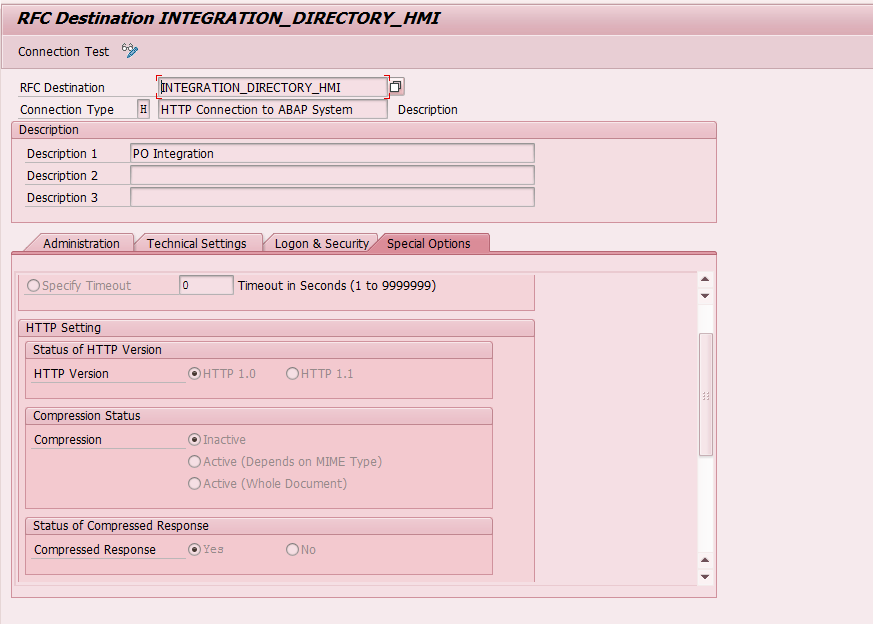
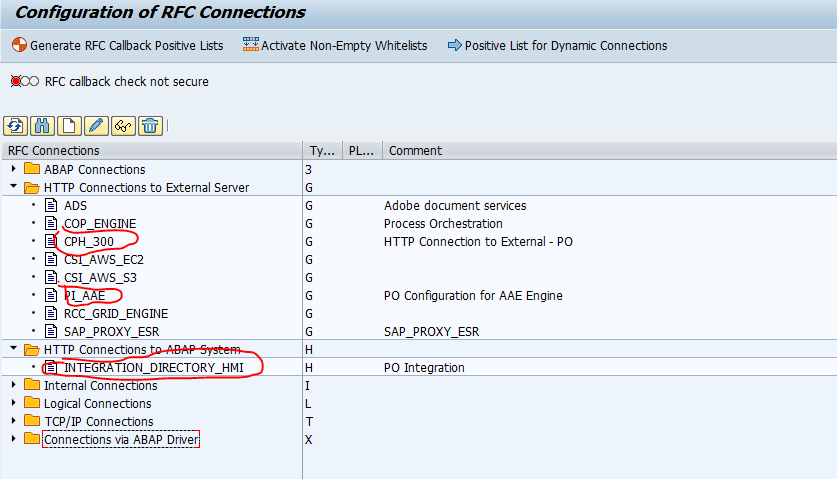
      Create a RFC destination of type H in the current client and provide host name, port of the integration server and path prefix as
      /sap/xi/engine?type=entry
      Also provide the user and the password. 


Wednesday, 20 September 2017

ALE IDOC Tutorials and step by step guide:


http://sap-interview-questions-and-answers.blogspot.in/2012/05/sap-ale-idocs-interview-questions-and.html

http://www.globalguideline.com/interview_questions/Questions.php?sc=SAP_ALE_IDocs

http://www.riyaz.net/sap/beginners-guide-to-ale-and-idocs-a-step-by-step-approach/18/

All the objects created should be present on both source as well as target system(s).
Step 1 :
Create Segment:  Tcode WE31


Step2: Create Basic IDoc type – Transaction WE30


Step3: Create Message Type in WE81


Step4: Link Message Type and Idoc Type in WE82


Step4:Define Logical Systems and Assign Client to Logical System – Transaction SALE


Step5:Maintain RFC Destinations – Transaction SM59

Step6:Define Ports – Transaction WE21
Step7:Maintain Distribution Model – Transaction BD64


Step8: 

To generate Partner profiles automatically you may use BD82 or go to BD64 and use the menu path Environment -> Generate partner profiles
  • Otherwise, you may use transaction WE20 to create a partner profile

ALE IDOC part4: WE21 port configuration


What is a Port ? What are the types of Ports ?
A port is a communication channel through which Messages can be sent or received in SAP .
The sender and the receiver both specify the port through which they will communicate.

The common port types are the TRFC Port and the File Port.
If both sender and receiver mention TRFC ports, data is exchanged via RFC connections.
If however , a file port is mentioned , the IDOC is written in a flat file at the specified location at the sender system.Then a FTP transfer should be done from that location to the receiver system or a Middleware that will send the file to the receiver system.

The transaction to maintain ports is WE21.


SM59:

RFC Destination:


ALE Idoc part3: Partner profile WE20

What is a partner profile ? What are the types of partner profiles ?

To be able to communicate with a partner via an IDoc interface, each system needs to maintain a partner profile. A partner profile is a mechanism by which the system can specify what kind of messages (message types) it can send or receive.
Partner profiles can be maintained in WE20.


ALE IDOC part2: WE19- Test Inbound Idoc and we09-display all idoc and BD20 to run inbound Idoc after message 64


1. WE19 Tcode is used to test Inbound IDOC Manaully.

Take existing Idoc number from we02 or we09 .


After execution Manually feed data.


After that press marked area.


After taht below screen will come . we can debug via marked Function Module


WE09 will display all the IDOCs


2. BD20 (program RBDAPP01) usually is used to process inbound IDoc(s) for both running in the foreground and background (schedule a job).
BD87 is used to reprocess IDoc(s) in error or waiting for action for both inbound and outbound. Also it can be used to monior the IDocs as well.

Screenshot for BD20 Tcode:


ALE , IDOC part1Concepts : Tutorials WE02 and BD87- Staus monitor for ALE messages(INBOUND) and BD88(outbound) - Part1

What is ALE ?
ALE stands for Application Link Enabling. As it's name indicates , it links two systems.
ALE is a technology that can enable exchange of data between two different Systems ( Sap - Sap OR Sap - Non Sap). ALE technology enables distributed yet integrated installation of SAP systems.
ALE architecture comprises of 3 layers : 

Application layer refers to the application data ( SD , MM , FI or data for any SAP application ) . In this layer the data is collected to be distributed and then sent to the distribution layer.

Distribution layer determines to whom should the data generated by the application layer has to be distributed i.e. it is in the distribution layer that the recipient is determined , the data is formatted or filtered and then an actual is created.

Communication layer takes the responsibility of delivering the Idoc to the receiving system and communicates to the receiving system via tRFC , File ports , FTP or TCP/IP etc.


ALE uses IDoc as a vehicle to transfer data between two systems.


1.To display Runned Idoc List:

WE02 is used to check the inbound and outbound IDOCs.


2. To display Status Monitor for ALE messages:


Where all the Idocs get stored after creation?

EDIDC stores control/header record.
EDIDD/EDID4 stores data records.
EDIDS stores status records. 


What are the types of records in SAP ALE Idocs and where is this information stored ?
There are three types of records in SAP ALE Idocs:
Control Records: Control record information for an IDoc is stored in standard table EDIDC.
Data Records:     Control record information for an IDoc is stored in standard table EDIDD.
Status Records:   Control record information for an IDoc is stored in standard table EDIDS.

But here are a few that you should know:
0-49 indicates an Outbound IDoc and 50-75 as Inbound IDoc. 

01  IDoc generated
02  Error passing data to port
03  Data passed to port OK

51  Application document not posted
52  Application document not fully posted
53  Application document posted

IDoc+Statuses Messages